How to add a YouTube video to a Claude project
Claude projects have a knowledge base: documents Claude reads before answering anything in that project. You cannot upload a video to it, because Claude cannot watch video. You can add the transcript, and once you do, the video becomes something Claude permanently knows. Here is how, by hand and in one click.
Why project knowledge beats pasting into chat
Paste a transcript into a normal chat and it helps exactly once: that conversation. Upload it to a project's knowledge and every conversation in the project can draw on it. You can ask a question on Monday that spans a video you added in March. For research workflows (competitor teardowns, course notes, podcast libraries), project knowledge is the difference between a chat log and a knowledge base. If projects are new to you, start with how to use Claude Projects.
Can you upload a video to Claude?
No, and it is worth being precise about it because it is the question most people arrive with. claude.ai accepts text, documents, and images. It does not accept video or audio files, and it does not fetch YouTube links. The thing to add is the transcript: the captions, as text, with the title and link at the top so the source stays traceable. Everything below is about getting that transcript into the project with the least effort and the most structure.
The manual way
- Get the video's transcript. Under the video, open the description and click Show transcript, then copy the text. Full instructions: copy a transcript from YouTube.
- Paste it into a text or markdown file. Add the title, channel, and URL at the top.
- Open your project on claude.ai, go to its knowledge section, and upload the file.
Functional, but slow, and the quality of your knowledge base depends on how disciplined you are about labeling every file. The raw transcript panel also gives you one line per caption with no paragraphs and no chapters, which makes Claude's citations vaguer than they need to be.
The one-click way
The YouTube Transcript to Claude extension does the extract, format, label, and upload pipeline automatically:
- Install the extension from the Chrome Web Store. There is no API key, no account, and no Google sign-in. It talks to claude.ai through the browser session you already have open.
- On any YouTube video with captions, click Add to Claude next to Like and Share.
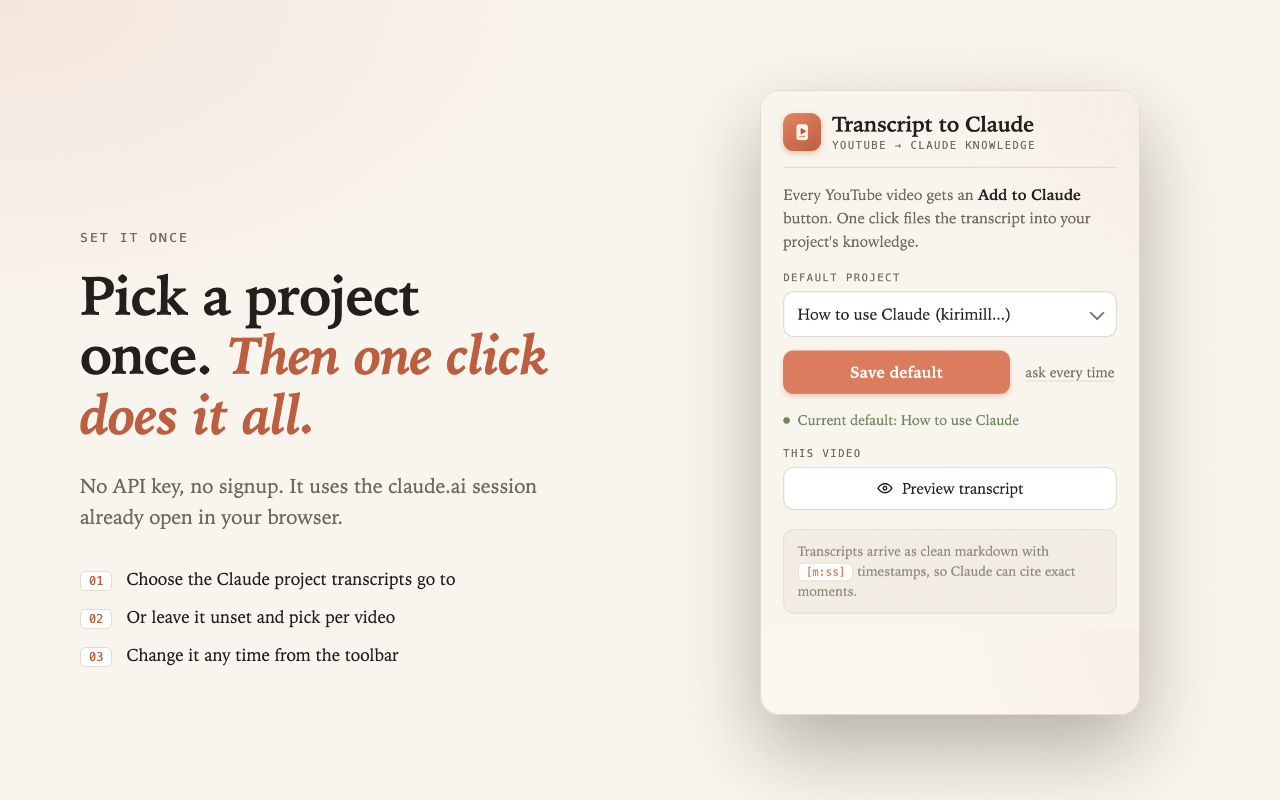
- The first time, pick the project and tick Remember my choice. Every later click files itself without asking.
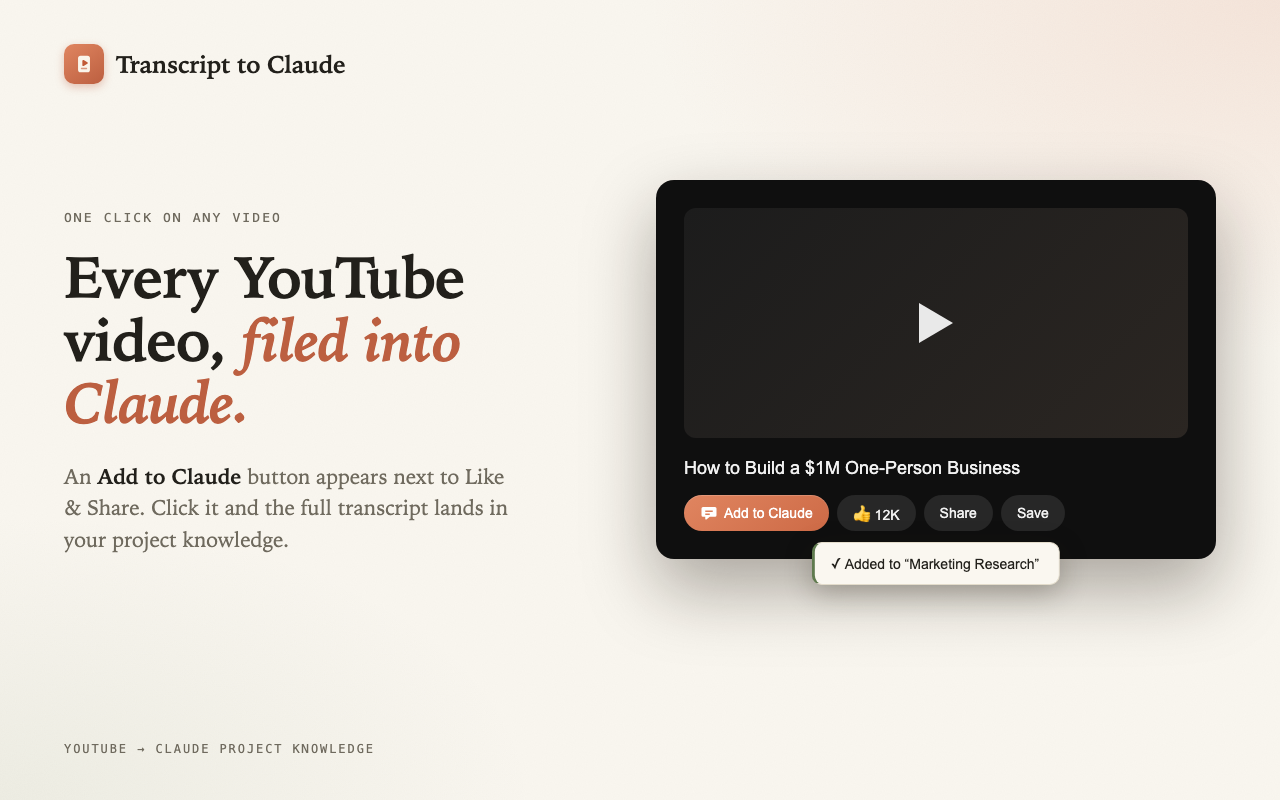
You can also set or change the default project from the extension popup, and the popup previews the transcript before anything is uploaded.
What arrives in the project
Each video becomes a self-describing markdown document named after the video title. The header carries the source, and the body is grouped into paragraphs of about 30 seconds, each with a timestamp. If the video's description lists chapters, each chapter becomes a heading, so Claude can cite a section as well as a second:
# But what is a neural network?

Source: https://www.youtube.com/watch?v=aircAruvnKk
Channel: 3Blue1Brown
Length: 19 min
Transcript: English
Chapters: 12
Saved: 2026-09-02

---

## [0:00] Introduction example

[0:04] This is a 3. It's sloppily written and rendered at an extremely low
resolution of 28x28 pixels, but your brain has no trouble recognizing it...

## [1:07] Series preview

[1:07] Unless you've been living under a rock...
Ask "where does he explain what a neuron is?" and Claude answers "in the chapter What are neurons?, starting at [2:42]". Click the timestamp in the extension's panel and the video jumps there.
Managing a growing library
- Videos you have added are remembered. The button reads In Claude and opens the project instead of making a duplicate. This lives in your browser only.
- Add again replaces. If captions improved or you picked a different language, Add again deletes the earlier copy in that project and uploads the fresh one.
- One project per topic. Claude retrieves from large projects rather than reading everything at once, so focused projects give sharper answers.
- Playlists, one click at a time. With a default remembered, a twenty video playlist takes about a minute.
Building a video library Claude can query
Once adding a video costs one click, new workflows open up. Add every talk from a conference and ask Claude for the themes speakers disagreed on. File a competitor's entire channel and ask what objections they answer in their marketing. Keep a "watch later" project where Claude has already read everything you have not watched yet. Then summarize and chat with the videos.
Questions people ask
Can I upload a video to Claude?
No. Add the transcript instead; the extension does it in one click.
Can I add a whole YouTube playlist?
One video per click. A default project makes it fast.
Does this work on the free plan?
Yes. Projects are available on free accounts, and the extension is free.
What if the video has no captions?
Then there is no transcript to add. See what to do when a video has no captions.
Do it in one click instead
YouTube Transcript to Claude is a free, open source Chrome extension. No API key, no signup, it uses your existing claude.ai session.
Add to Chrome, it's free