For researchers
Collect interviews, talks, and source material by topic. Compare claims across videos and trace conclusions back to timestamps.
Free Chrome extension for claude.ai
Claude can't watch a video. Paste a link and it tells you so. This extension fixes that: one click files any captioned video's transcript, with chapters and timestamps, into Claude project knowledge without leaving YouTube.
Free transcript preview with clickable timestamps. No account needed. Works with videos that have captions.
 Add to ChromeSend transcripts to Claude without leaving YouTube
How it works
Choose a Claude project once. After that, any captioned YouTube video can become reusable project knowledge with a single click.
Add the free extensionNo extension account and no Claude API key.
An Add to Claude button appears beside the familiar YouTube actions.
Remember your choice and future transcripts file themselves in one click.
Built for Claude
A useful transcript needs more than copied captions. The extension selects the caption track, groups fragments into readable paragraphs, keeps the source details, and prepares a markdown document Claude can cite.
[m:ss] timestamps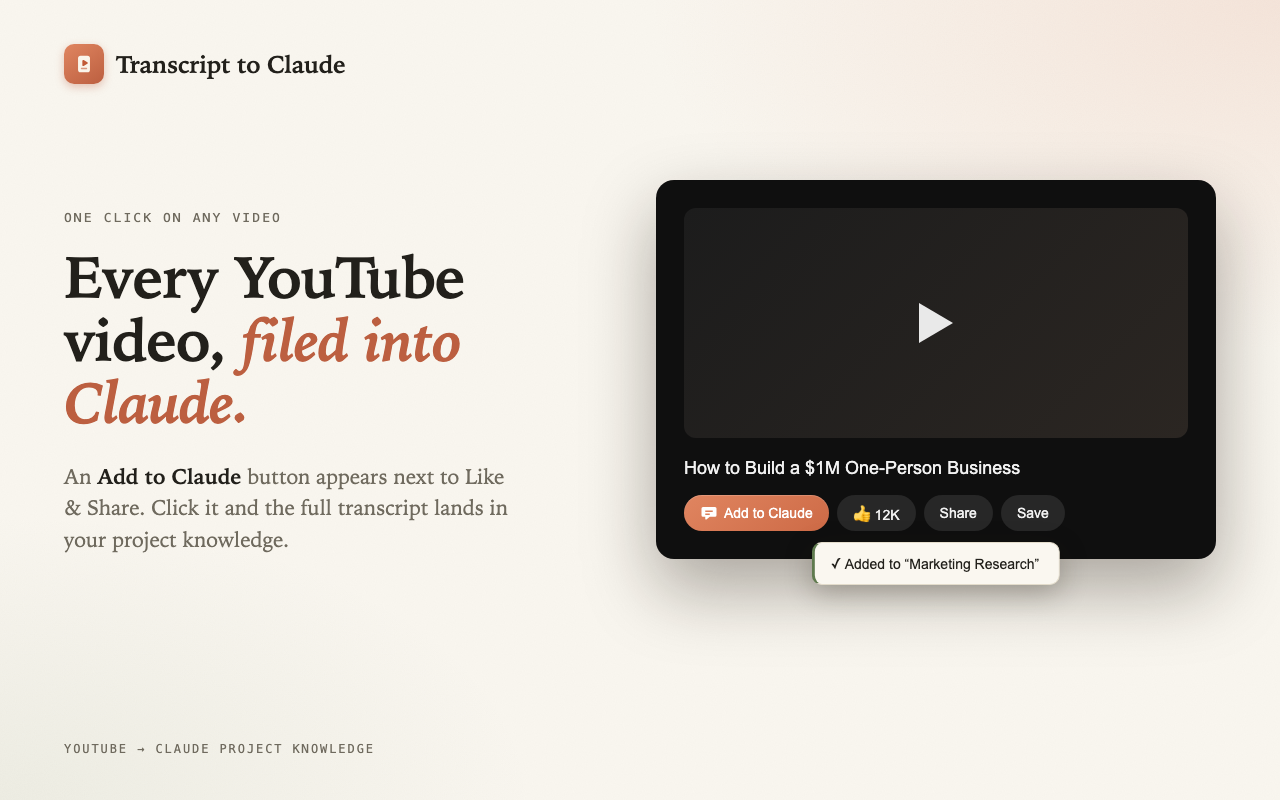
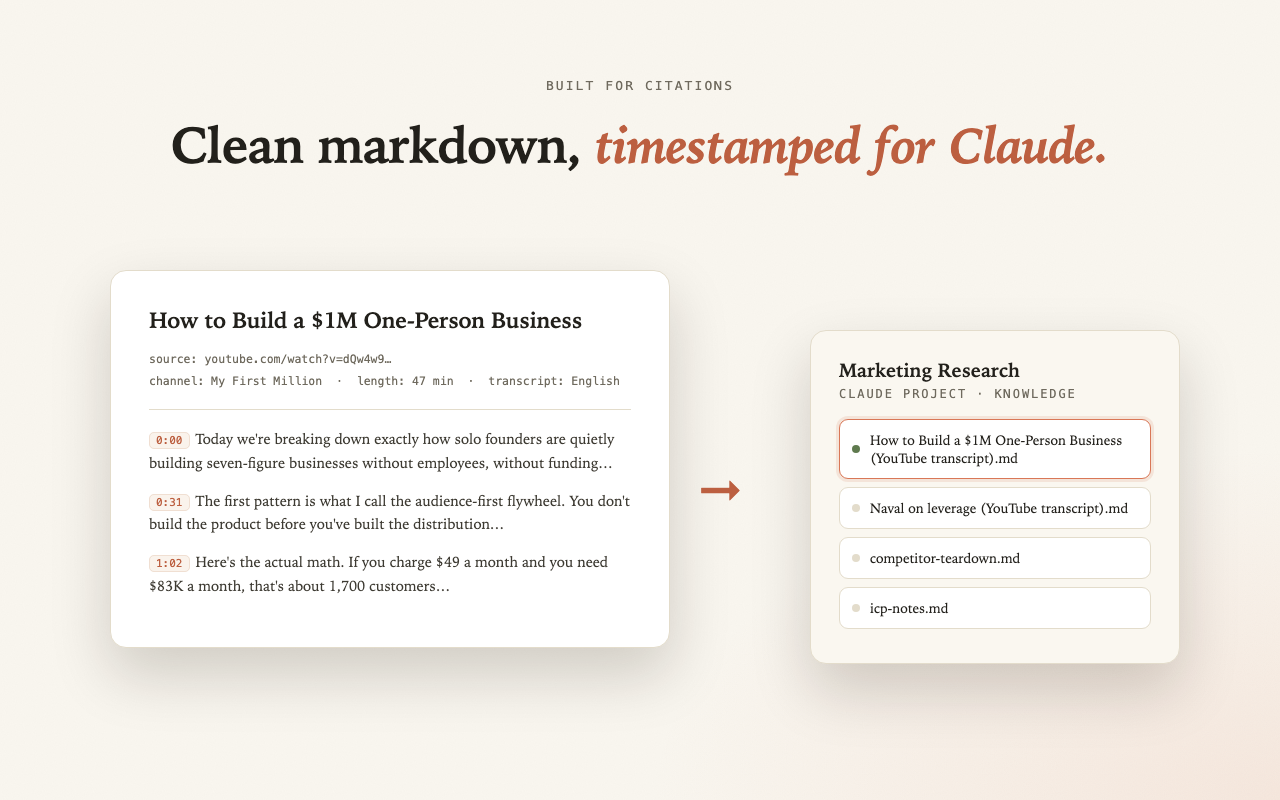
Read it first
Open the extension popup to read the complete transcript. Copy the markdown, download a .md file, or add it to a project when you are ready.
The extension also remembers recently added videos. Instead of creating an accidental duplicate, the button changes to In Claude and opens the saved project.
Signed out of Claude? Preview, copy, and download still work.
Why project knowledge
Keep one video for reference or build a library Claude can search, compare, and synthesize across conversations.
Collect interviews, talks, and source material by topic. Compare claims across videos and trace conclusions back to timestamps.
Archive competitor videos, customer interviews, and industry podcasts. Find recurring objections, positioning patterns, and unexplored ideas.
Turn lectures and tutorials into structured notes, definitions, revision questions, and checkable timestamped summaries.
Ask the archive
Once the transcript is in project knowledge, start with a specific question and ask for timestamps.
Summarize this video in eight bullets. End each bullet with the supporting timestamp.
List every concrete claim, number, and recommendation, with where it appears.
Across the videos in this project, where do the speakers agree and disagree?
Turn this lecture into study notes and twelve quiz questions.
One project. One click.
Install the extension, choose a project once, and turn the next captioned video into organized Claude knowledge.
Learn the workflow
Practical ways to turn videos into source material, summaries, and searchable knowledge.
The details
Not by itself. Claude cannot open a video link or listen to audio. What it can read is the transcript, and this extension puts the transcript, with chapter headings and timestamps, into your Claude project in one click. Read the full answer →
Install the extension, open any YouTube video with captions, and click Add to Claude next to Like and Share. The transcript becomes a timestamped markdown document in the Claude project you pick. Read the guide →
The extension works with videos that have a manual or auto-generated caption track. It reads existing YouTube captions; it does not perform speech-to-text when a video has no captions.
Yes. Open the extension popup on a video and choose Preview transcript. You can read the full transcript, copy the markdown, or download the file without signing in to Claude.
Yes. Choose any caption track the video offers, including manual and auto-generated captions, or use YouTube's available caption translations. The extension remembers your last choice.
Yes. Transcripts are grouped into readable paragraphs of about 30 seconds, each prefixed with [m:ss], so Claude can cite the exact moment something was said. See how timestamps work →
No API key is needed. Preview, copy, and download work without Claude. Adding a transcript to project knowledge requires that you are signed in to claude.ai and have a Claude project to choose.
No. The Chrome extension has no developer server, analytics, or tracking. It reads captions inside your browser and sends the formatted transcript directly to claude.ai only when you choose Add to Claude. Read the privacy policy →
The extension remembers recently added video and project details in local extension storage. A saved video shows In Claude and can open its project; Add again remains available when you intentionally want another copy.
Free Chrome extension
Choose a project once. File clean, timestamped transcripts as you watch.
Add to Chrome, it's free