How to summarize and chat with a YouTube video in Claude
A two hour podcast in ninety seconds of reading, with timestamps you can check, and then a conversation with the video instead of a scrub bar. Claude writes excellent summaries and answers precise questions. The only real work is getting the transcript to it. Here is the whole workflow.
First, what "chatting with a video" means
Language models do not watch video, they read. When any tool lets you "chat with a YouTube video", it is feeding the video's caption transcript to the model. That is good news: transcripts capture nearly everything that matters in talks, lectures, podcasts, and interviews, and text is what Claude reasons over best. It also means one thing has to happen before any of the prompts below work: the transcript has to reach Claude.
Step 1: Get the transcript into Claude
Two ways.
- By hand. Open the video's transcript panel on YouTube, copy the text, paste it into a chat. Free, works once, and the transcript vanishes when the chat does. Instructions: copy a transcript from YouTube.
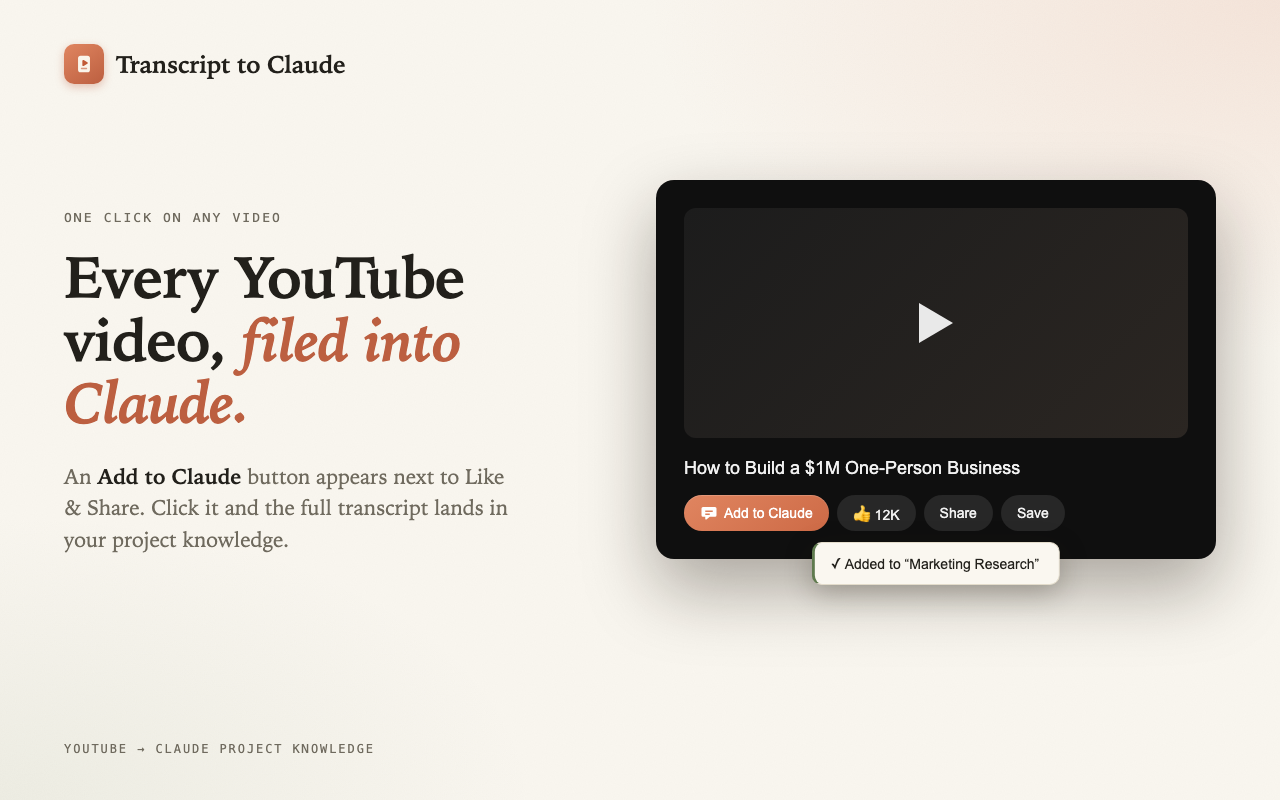
- In one click. Install the YouTube Transcript to Claude extension, click Add to Claude under the video, pick a project. The transcript arrives formatted with chapter headings and a timestamp every 30 seconds, filed into project knowledge where every future chat can use it.
Step 2: Ask for the right kind of summary
"Summarize this" produces a generic paragraph. These prompts produce summaries you will actually use:
- Executive summary: "Summarize this video in five bullet points, then list every concrete number, statistic, or claim it makes, with timestamps."
- Decision extract: "What does the speaker recommend doing, in order? Include the reasoning behind each recommendation."
- Skeptical read: "List the video's main claims and rate how well each is supported by evidence given in the video itself."
- Study notes: "Turn this lecture into structured notes with headings, key terms bolded, and a self-test quiz at the end."
- Chapter by chapter: "Give me two sentences per chapter, using the chapter headings in the transcript."
Step 3: Interrogate the video
The summary is the start. Once Claude has the transcript, the whole video becomes something you can question:
- "What is the single most actionable piece of advice here, and what evidence backs it?"
- "Find every moment where the guest disagrees with the host, with timestamps."
- "Extract every tool, book, and person mentioned, in a table."
- "I only have ten minutes. Which timestamps should I actually watch?"
- "Write the counter-argument to this video's thesis, using only claims made in the video."
- "Which questions did the interviewer fail to ask?"
Because the transcript carries [m:ss] timestamps, Claude's answers point at exact moments: "the pricing discussion starts at [31:04]". Jump there and verify.
Step 4: Verify with timestamps
Summaries are only useful if you can trust them. Transcripts added by the extension carry a timestamp every 30 seconds and a heading for every chapter, and Claude uses both when quoting. When a summary says the speaker claimed something at [42:10], you can open the video, click to that second, and check. Auto-generated captions misspell names, so when a name matters, this is the click that catches it.
Summarizing and chatting with many videos at once
This is where projects beat every single-video summarizer. Add five videos on the same topic to one Claude project and ask: "Across all five talks, where do the speakers agree, where do they contradict each other, and who has the strongest evidence?" Or: "Across these four earnings-call breakdowns, what did every analyst miss?" That is a synthesis no per-video tool can produce, and it is the real unlock: the project becomes a library Claude has already read, not a single-session trick. Setup is a few clicks: add YouTube videos to a Claude project.
Privacy note
The extension has no servers. The transcript travels from YouTube to claude.ai entirely inside your browser, only when you click the button, and nothing is collected along the way. The source is on GitHub.
Questions people ask
Can Claude summarize a YouTube video from the link?
No. It cannot open or watch the video. Give it the transcript and it summarizes accurately.
How long a video can Claude handle?
Multi-hour videos are fine. Very long series work best in a project, one transcript per video.
Can I do this on the free plan?
Yes. Projects and the extension both work on free claude.ai accounts.
Do it in one click instead
YouTube Transcript to Claude is a free, open source Chrome extension. No API key, no signup, it uses your existing claude.ai session.
Add to Chrome, it's free