How to get a YouTube transcript with timestamps
A transcript without timestamps is just a wall of words. With them, every claim in the video has an address, and AI tools can cite the exact second something was said.
Why timestamps change what a transcript is for
Raw text tells you what was said; timestamps tell you where. That enables verification (jump to the moment and check), navigation (skip to the section you need), and citation (an AI summary that references [12:40] is auditable, one that says "later in the video" is not).
Option 1: YouTube's transcript panel
YouTube's built-in panel (description → Show transcript) shows a timestamp on every caption line, and copying the panel preserves them. But the format is one timestamp per caption fragment, a stamp every few words:
0:00 so today we're going to talk about
0:03 something that I think is really
0:05 underrated in the industry and that is
Readable for scanning, terrible for actually reading, and noisy as input to AI tools, the fragments outnumber the sentences.
Option 2: Paragraph-level timestamps in markdown
The YouTube Transcript to Claude extension groups caption fragments into ~30-second paragraphs, each with a single [m:ss] stamp:
[0:00] So today we're going to talk about something that I think is really underrated in the industry, and that is distribution. Everyone obsesses over product…
The result reads like an article, stays precise enough to navigate by, and is exactly the granularity AI models cite well. The transcript arrives as a markdown document with the video's title, channel, URL, and length in a header, filed into a Claude project in one click.
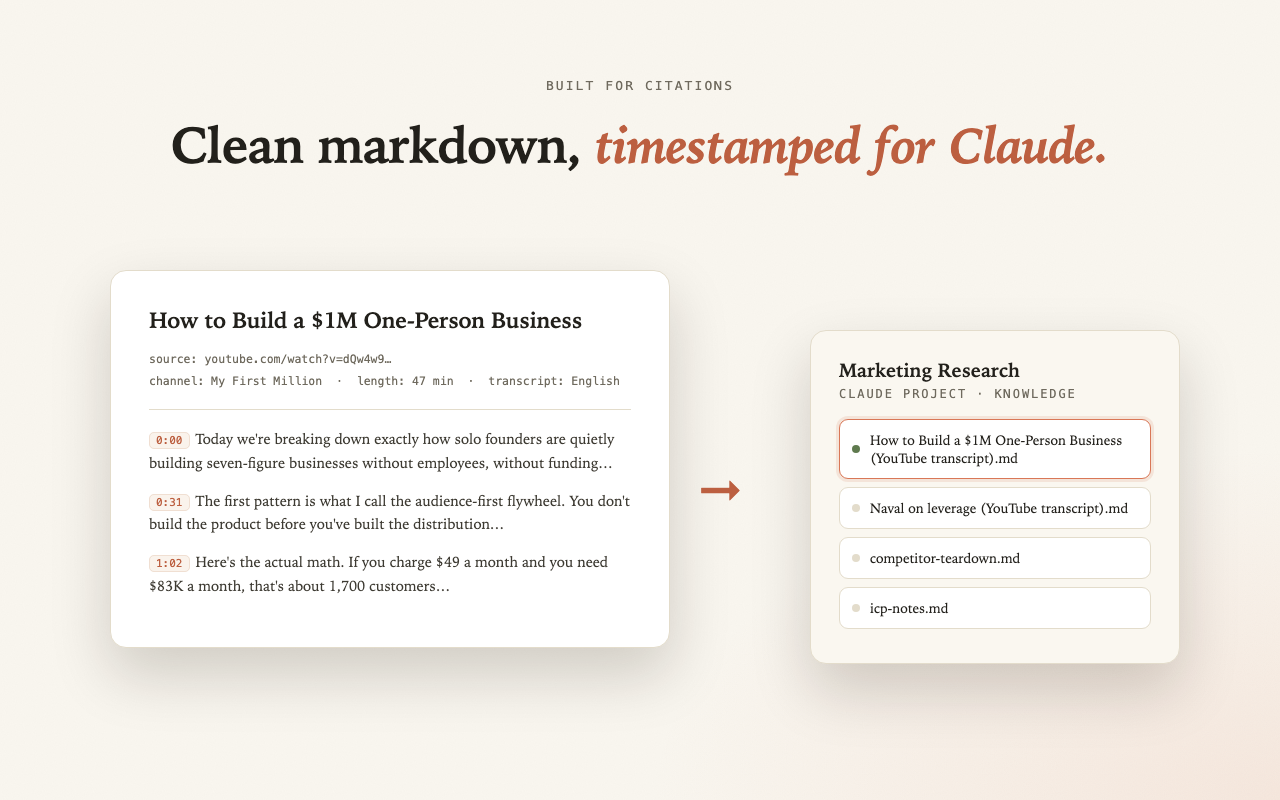
Using timestamped transcripts with Claude
Once the timestamped transcript is in Claude, ask for answers with citations: "Summarize this talk in 8 bullets, each ending with the timestamp it's based on." Every claim becomes checkable against the source video, which is what separates research from vibes. More on this in summarizing YouTube videos with Claude.
Do it in one click instead
YouTube Transcript to Claude is a free Chrome extension. No API key, no signup, it uses your existing claude.ai session.
Add to Chrome, it's free